 VideoHub Control
Пульт для матриц Blackmagic Videohub и AJA KUMO.
- iPhone
- iPad
- Blackmagic Videohub
- AJA KUMO
- демо-матрица без железа
Выберите выход, выберите источник, отправьте. VideoHub Control управляет матрицами Blackmagic Design Videohub и AJA KUMO по локальной сети — из аппаратной, со сцены или из зала, с телефона в руке.
Список матриц
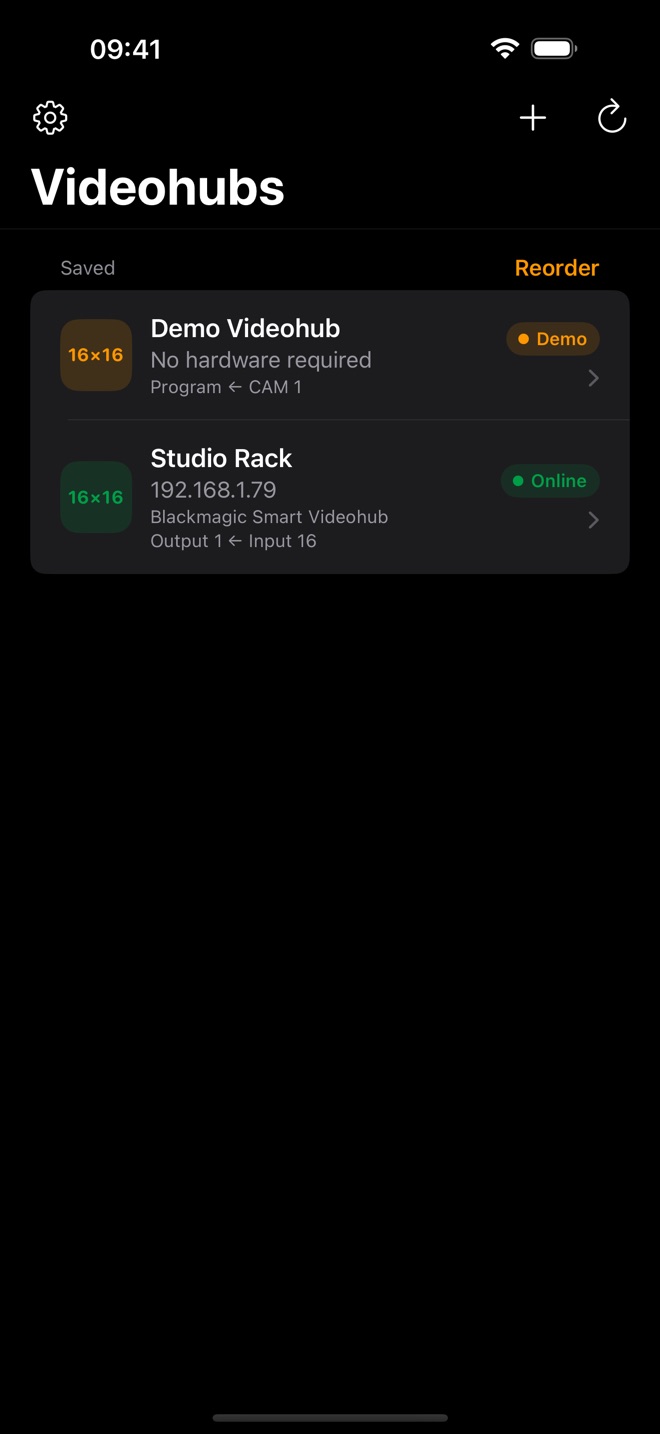
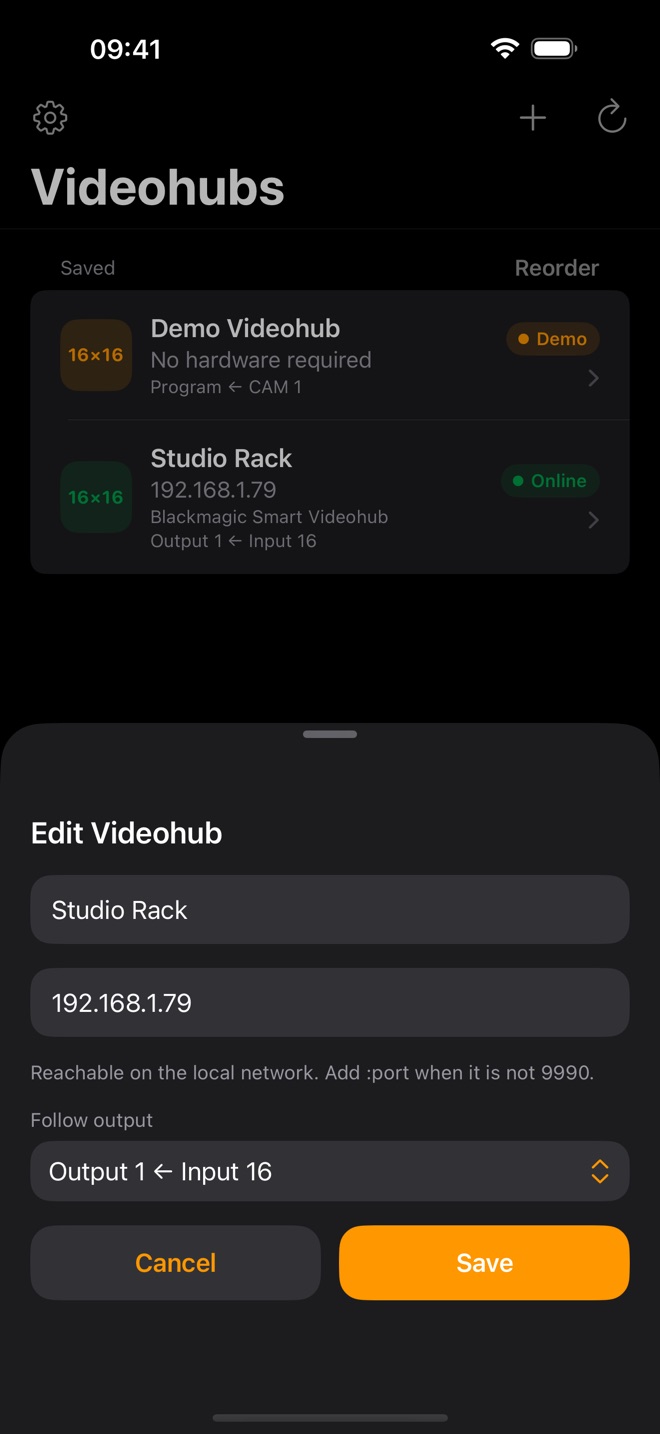
Сохранённые матрицы видно сразу: на связи ли каждая и куда сейчас скоммутирован выбранный вами выход — например, что идёт в Program. Марки различаются цветом: Blackmagic — оранжевый, AJA — сине-голубой. Videohub, которые объявляют себя в сети, находятся сами, KUMO добавляется по адресу. Хаб запоминается по его Unique ID, поэтому если DHCP выдал ему новый адрес, обновится сохранённая строка, а не появится дубликат.
Рутинг
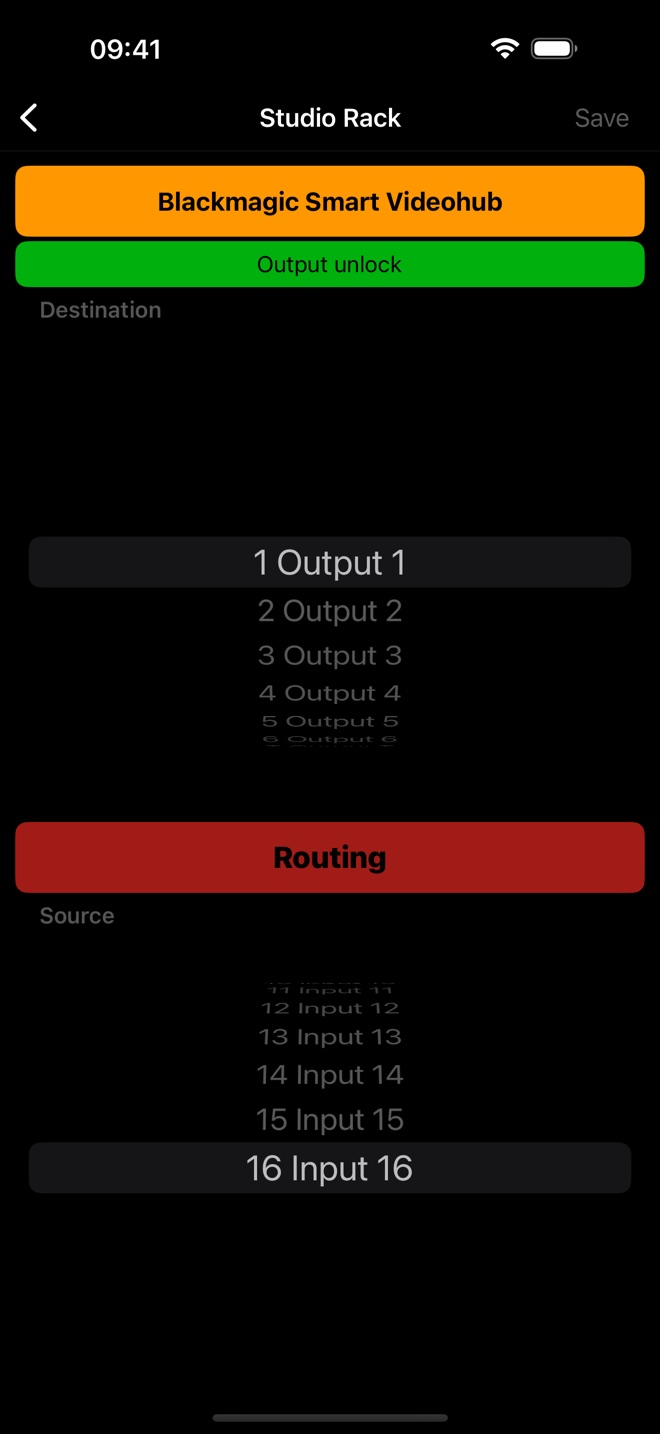
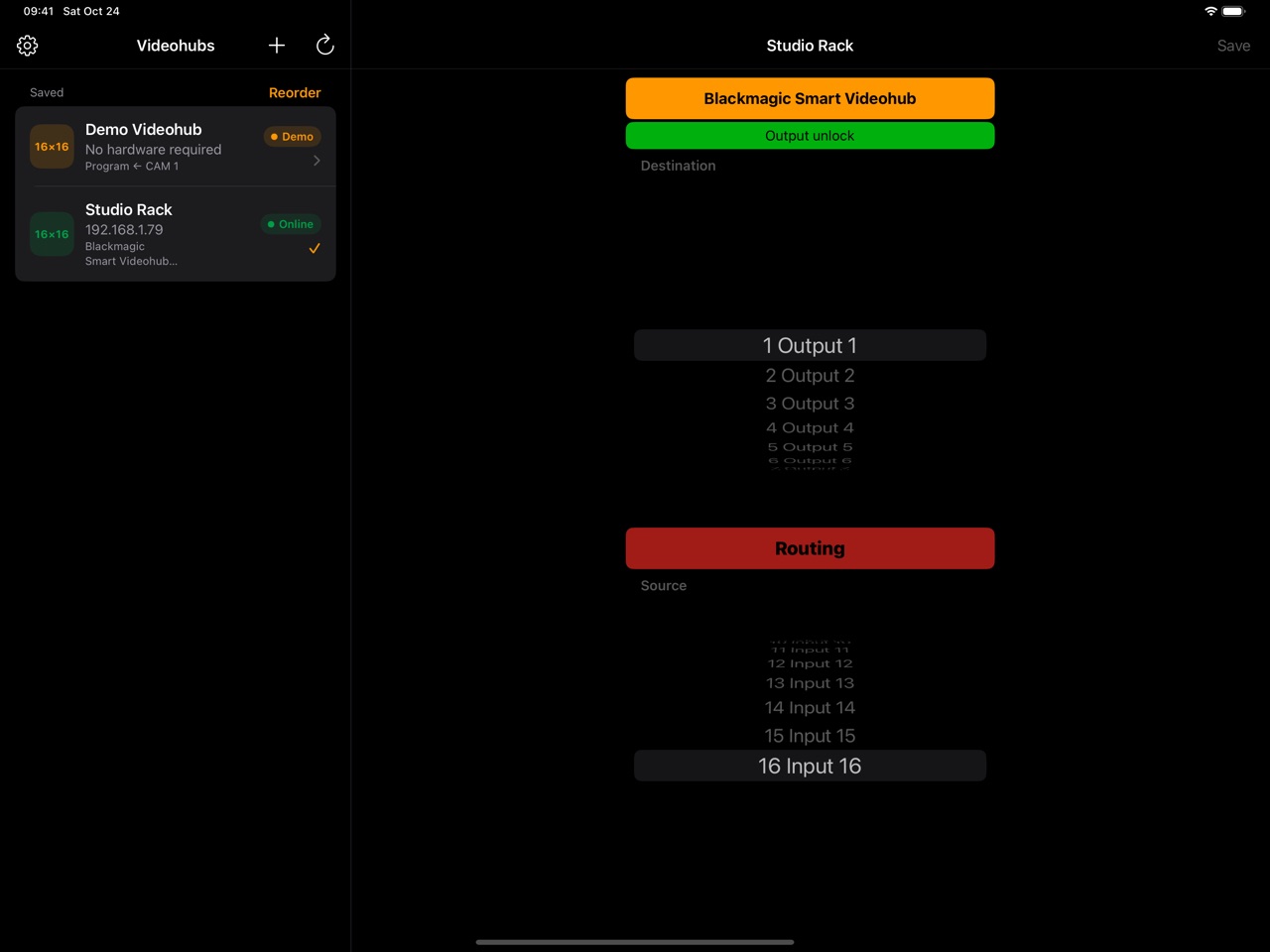
Верхнее колесо — выход, нижнее — источник. Нижнее колесо само встаёт на вход, который сейчас идёт в выбранный выход, поэтому видно, что вы меняете. Команда уходит по второму тапу «Routing» — от случайного переключения в эфире; подтверждение можно выключить в настройках. Кнопка становится зелёной, когда матрица подтвердила рутинг, а если выход переключил другой оператор, колесо подтянется само.
Долгое нажатие на колесо переименовывает порт. Имя записывается в саму матрицу, так что его видят все операторы и все программы.
Блокировка выходов и пресеты
Выход можно заблокировать, чтобы его никто не переключил. Чужая блокировка видна, и перед её снятием приложение спросит. Пресет сохраняет всю таблицу рутинга матрицы — у Studio Videohub вместе с мониторными выходами — и отправляет её одной командой. Блокировка и пресеты — встроенные покупки.
И ещё
- Демо-матрица 16×16 — посмотреть приложение без железа.
- Нестандартный порт пишется прямо в адресе:
10.0.0.2:9991. - Studio Videohub: мониторные выходы идут в том же колесе после обычных.
- AJA KUMO 16×4, 16×16, 32×32 и 64×64 — рутинг, блокировка, имена портов и пресеты.
- VoiceOver: у кнопок есть подписи, переименование и пресеты доступны действиями, а смена состояния объявляется голосом.
- Старые Compact и Smart Videohub тоже подключаются.
- Матрицей можно поделиться ссылкой — она добавится в список на другом телефоне.
- Журнал диагностики из настроек, если матрица ведёт себя не так, как ожидается.
VideoHub Control
A remote for Blackmagic Videohub and AJA KUMO routers.
- iPhone
- iPad
- Blackmagic Videohub
- AJA KUMO
- demo router, no hardware needed
Pick the destination, pick the source, send it. VideoHub Control drives Blackmagic Design Videohub and AJA KUMO routers over the local network — from the gallery, the stage or the floor, with the phone in your hand.
The list
Your saved routers at a glance: whether each one is online and where the output you care about is routed right now — what is on Program, say. The brands are told apart by colour: Blackmagic orange, AJA blue. Videohubs that advertise themselves on the network are found for you; a KUMO is added by its address. A hub is remembered by its Unique ID, so when DHCP hands it a new address the saved row is updated instead of a duplicate appearing.
Routing
The top wheel is the destination, the bottom one the source. The source wheel turns to whatever is on the chosen output right now, so you always see what you are about to change. The route goes out on a second tap of Routing, so nothing switches on air by accident; the confirmation can be turned off in Settings. The button turns green once the router confirms the route, and when another operator re-routes the output, the wheel follows.
Press and hold a wheel to rename its port. The name is written to the router itself, so every operator and every app sees it.
Output locks and presets
Lock an output so nobody can re-route it. Someone else's lock is shown, and the app asks before overriding it. A preset stores the router's whole routing table — on a Studio Videohub, the monitoring outputs too — and sends it back in one command. Locks and presets are in-app purchases.
And more
- A 16×16 demo router to try the app without hardware.
- A non-standard port goes right in the address:
10.0.0.2:9991. - Studio Videohub: the monitoring outputs follow the regular ones on the same wheel.
- AJA KUMO 16×4, 16×16, 32×32 and 64×64 — routing, locks, port names and presets.
- VoiceOver: every control is labelled, renaming and presets are available as actions, and state changes are announced.
- Older Compact and Smart Videohub models connect too.
- Share a router as a link, and it is added to the list on another phone.
- A diagnostics log from Settings when a router does not behave as expected.